01The context
At Tire-fesse, reminders for unpaid invoices were done by hand. One by one. It took 3 days every month
The challenge
Send every invoice reminder on time, without spending 3 days on it
02The approach
The client wanted Make (their choice), so we went with Make. The data was already in Notion: client email, invoice, number, amount due, date sent. I set up the database so the scenario finds everything it needs on its own
- 01
D-5
5 days before the due date
- 02
Due date
on the day it’s due
- 03
D+2
two days later, if nothing is paid
- 04
D+7
one week later, final reminder
03The system
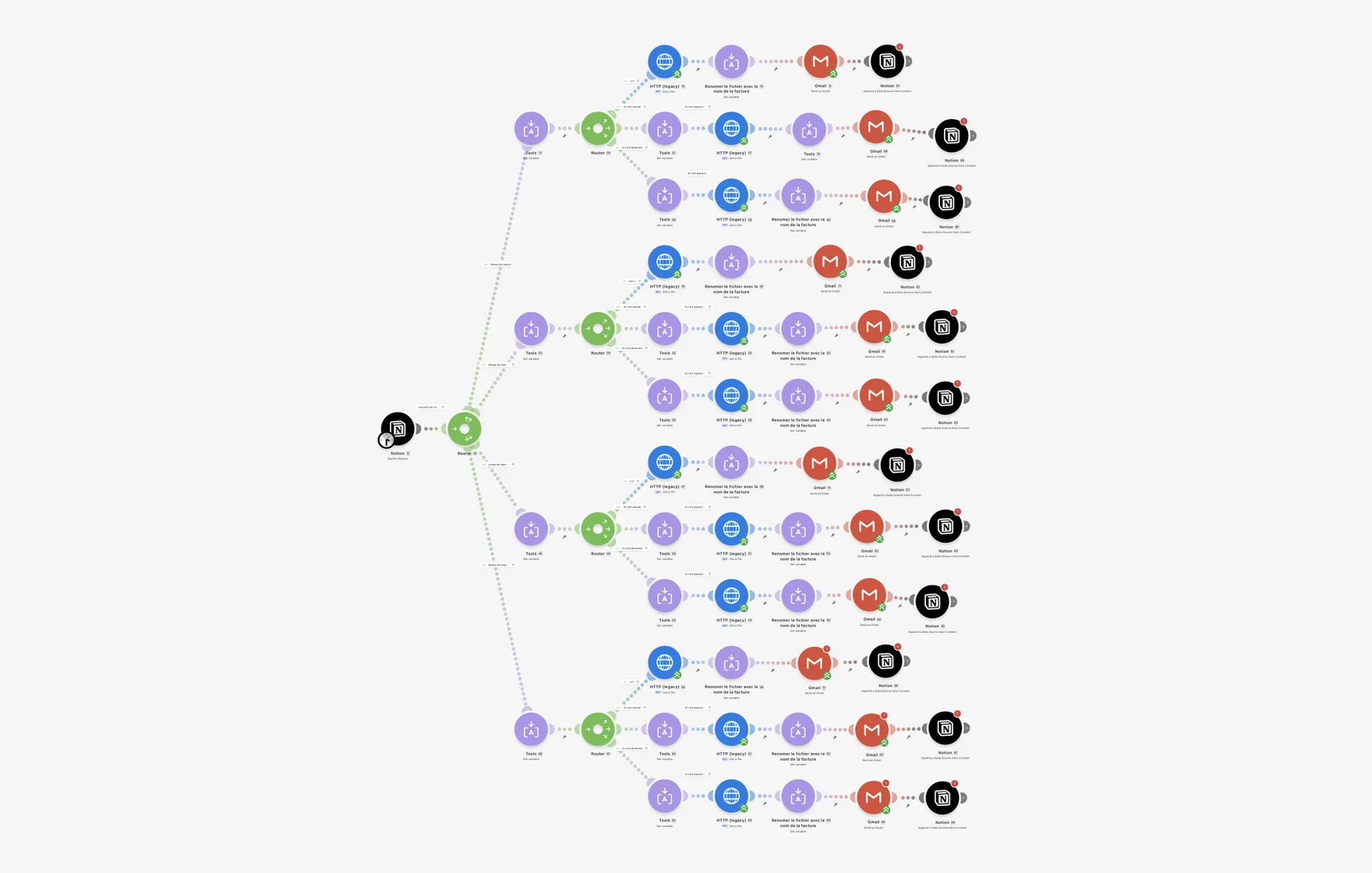
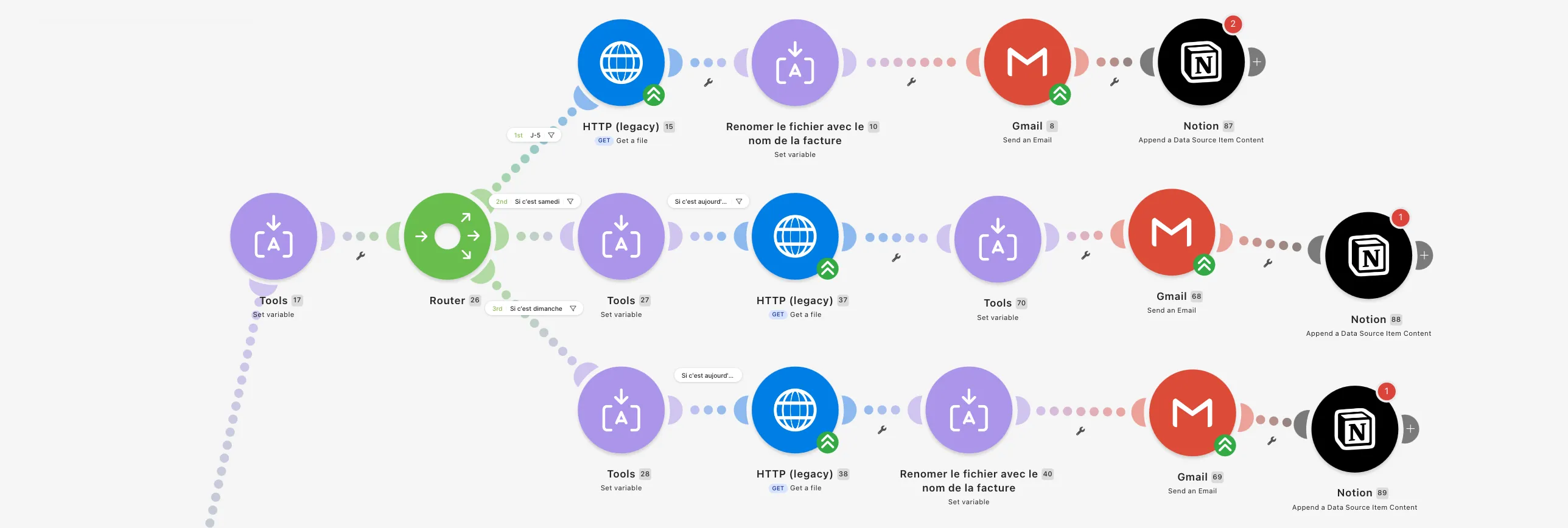
Reminder level > filter > sending day, never on weekends > invoice download > renaming > email to the client > Notion update
- 01
Notion
all the invoice data
- 02
The level
one filter per reminder level
- 03
The day
calculated, never on weekends
- 04
The invoice
downloaded then renamed
- 05
The email
sent with all the data
- 06
Tracking
Notion logs the reminder status
04The result
The result: fewer unpaid invoices at the end of the month. Only 3 to 4 clients are left to call
- 3 days
- saved every month
- 4
- automatic reminders per invoice
- 3 to 4
- clients to call each month